OpenSanctions's commercial-use PEP data product is available for screening and due diligence.
Using PoliLoom
PoliLoom attempts to automatically extract unstructured information from sources like Wikipedia, to add to Wikidata as — you guessed it — structured information.
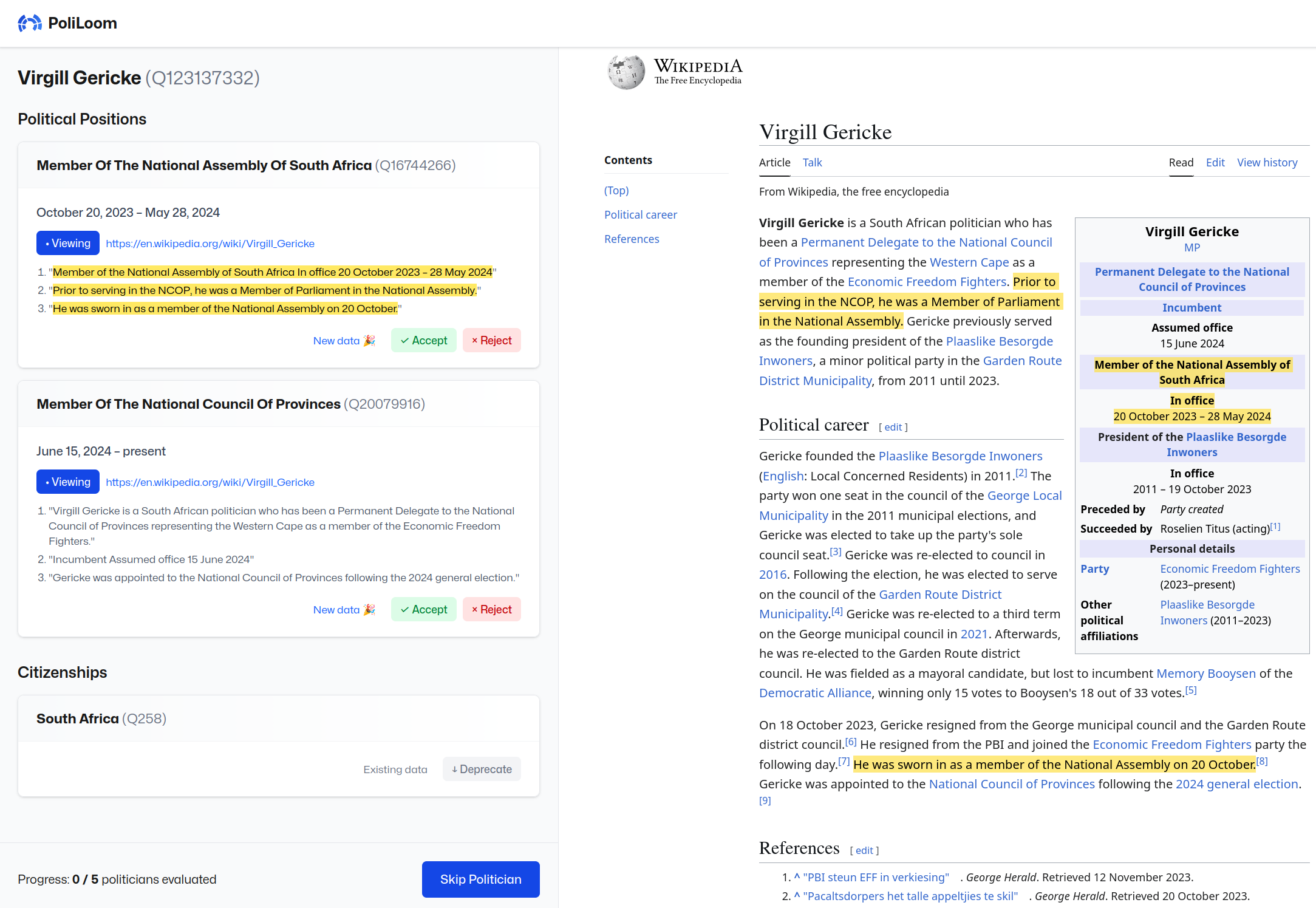
To get started:
- Open the loom.
- You’ll be directed to sign in with Wikimedia — there’s a button on that page to create an account if you don’t yet have one.
- Grant PoliLoom the permission to make edits on your behalf.
- Choose the countries and languages you’re confident working in, and start the tutorial.
- If it’s your first time, don’t enable Advanced mode at this point.
- Once you’re in, you can skip the tutorial if you’ve done it before.
- If it’s your first time with Advanced mode on, you’ll have to re-do the first part of the tutorial to get to the Advanced tutorial.
- Once the tutorial is done, you can start assessing what’s been extracted.
Happy editing! 🧚
